Domenic Landriscina

Mechanical engineering, University of Maryland

DomenicLandriscina

Look through the blinds to see some of my past and current projects.

About me

Studying
Mechanical engineering at the University of Maryland, class of 2029
Skills
SolidWorks, Altium, 3D printing
Interests
Robotics and product design

Senior year
2024–25

A window blind that opens itself in the morning

Press the green button before bed. Eight hours later a motor tilts the slats open and daylight wakes you up.

  • A 12 V planetary gearmotor sits in the end of the head rail and turns the tilt mechanism directly. It replaces the wand.
  • An Arduino Uno with an Adafruit Motor Shield runs the timer and drives the motor.
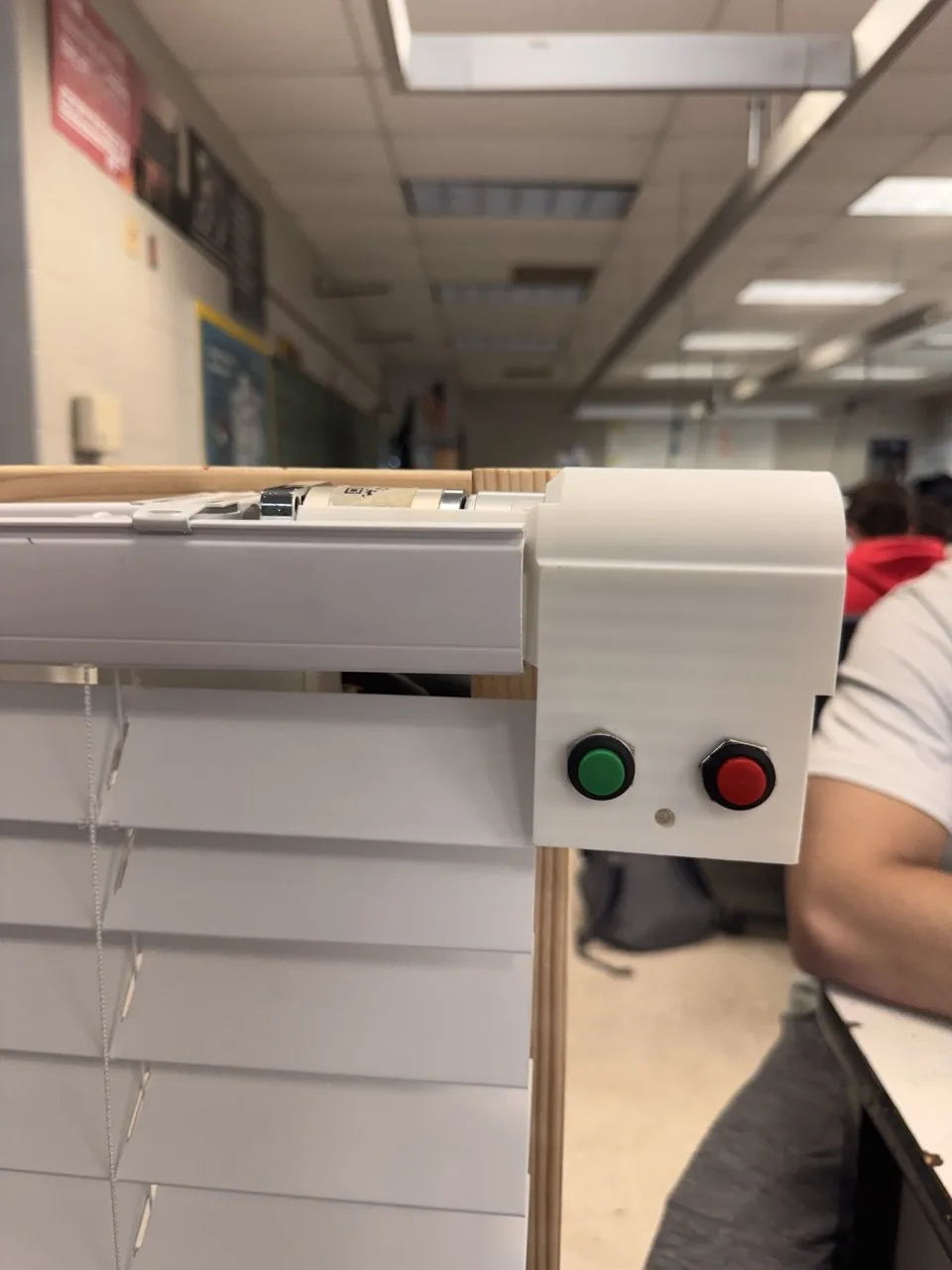
  • Two buttons and one LED. The LED confirms the timer has started.
  • The printed motor tray slides into the head rail, so only the button box shows beside the slats.
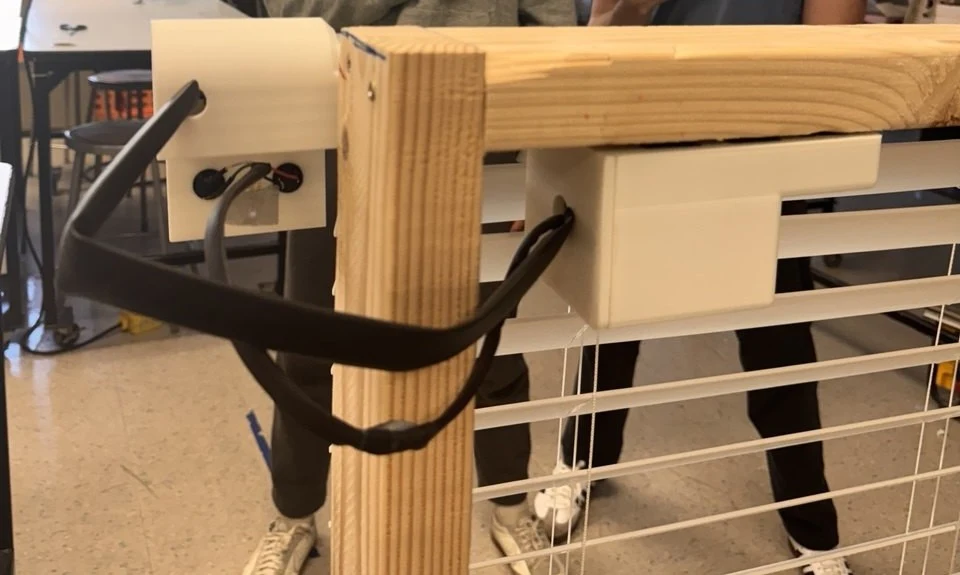
  • The blind mounts on the front of the window frame. The Arduino and battery sit in a second printed box, up inside the opening behind it.
  • Senior design
    project
  • Catonsville
    High School
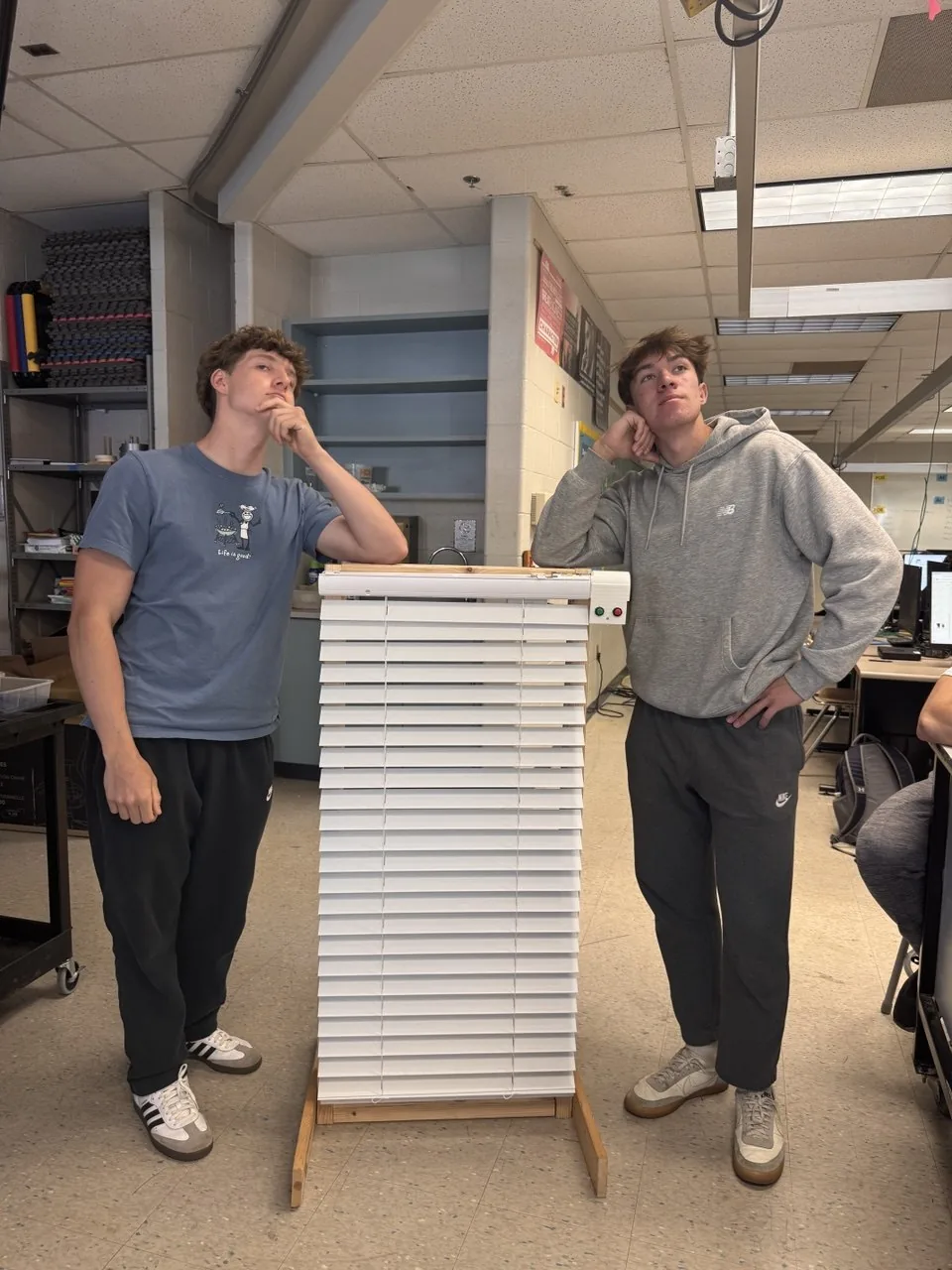
The prototype on its test stand. For the demo, the eight-hour delay is cut to one second.
Taken apartDrawn from photos of the prototype. Drag to turn.

Parts

  1. 1
    Head rail and slatsThe stock blind. The tilt rod runs inside the rail.
  2. 2
    Hex shaftCouples the motor straight to the tilt mechanism.
  3. 3
    Gearmotor12 V, planetary gearbox, encoder. It lies in the tray.
  4. 4
    Motor housing3D printed. The tray slides into the end of the rail. The button box stays outside, beside the slats.
  5. 5
    Buttons and LEDGreen starts the timer. The LED shows it is running.
  6. 6
    Arduino Uno and Motor ShieldThe shield plugs into the top of the Uno.
  7. 7
    12 V battery packPlugs into the motor shield.
  8. 8
    Electronics enclosure3D printed. Tucked up under the top of the window opening, behind the blind. A sheathed cable runs to the button box.
  9. 9
    Window frameThe blind mounts on the front of the frame, so it covers the whole window and the button box can sit off to the right. The prototype itself was built on a wooden test stand.
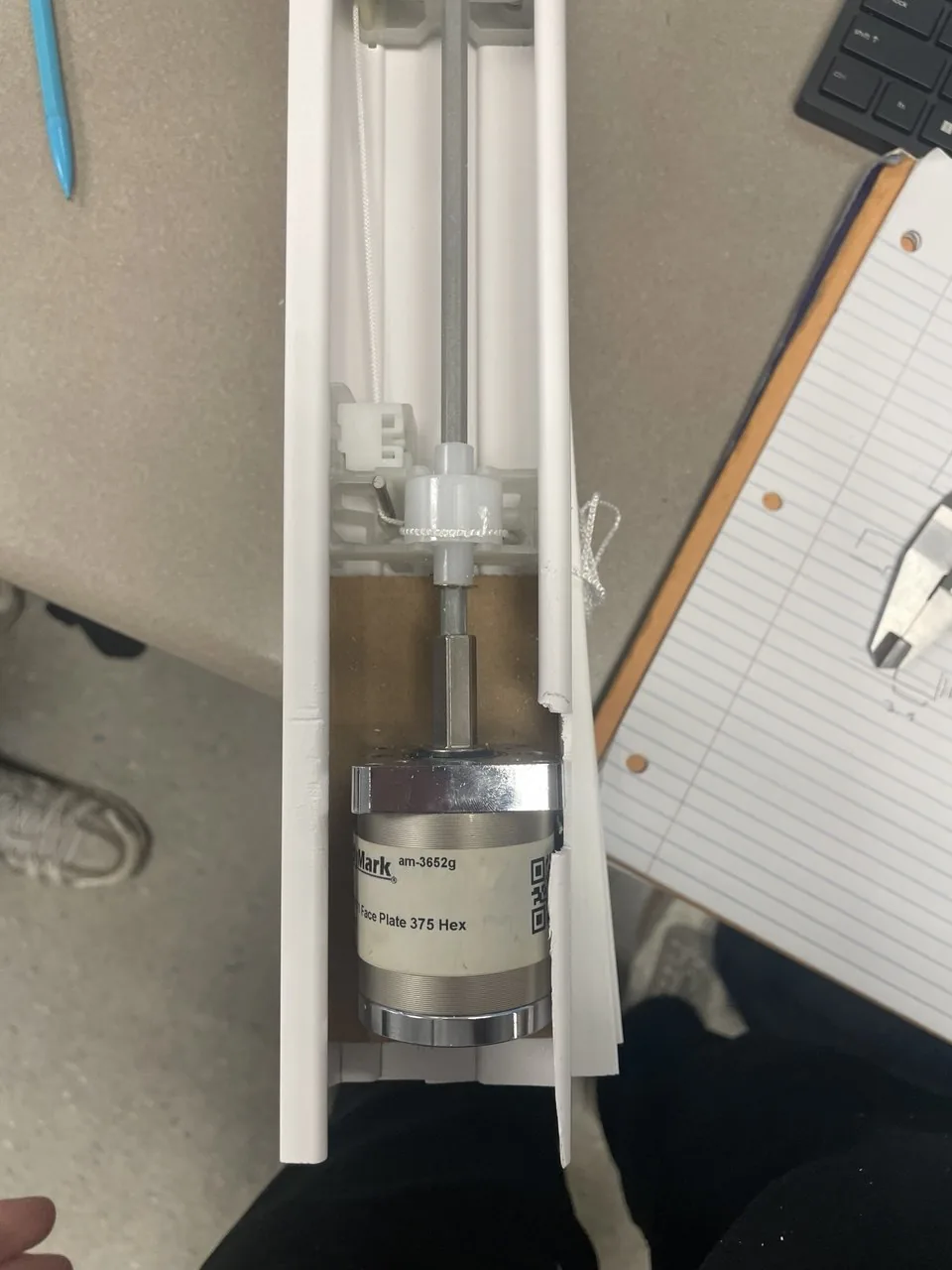
Looking down into the head rail: a silver gearmotor with a hex shaft coupled to the white tilt mechanism
Testing the fitment of the gearbox.
White 3D printed button box with a green and a red button, at the end of the blind's head rail beside the slats
Front view: start and stop buttons, plus an indicator light.
The test stand from behind: the back of the button box, a white printed box fixed under the top beam, the cable between them, and the slats
From behind: the enclosure under the top beam, and the cable to the buttons.
Two students leaning on the finished blind and its wooden test stand in a classroom
The finished prototype, and the team.

July 2025

PickyPal, my first product

A website that helps picky eaters learn a new food in small steps. It is the method I used on myself.

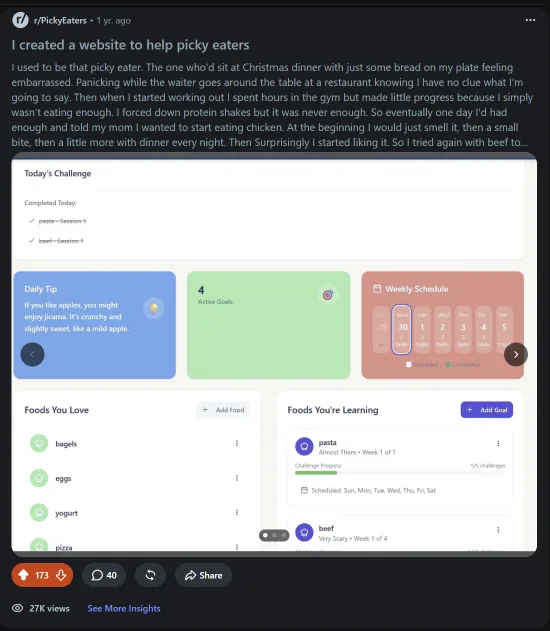
  • Built an MVP, then asked r/PickyEaters what was wrong with it before finishing.
  • Took feedback from lots of users and got rid of the AI features that my user base was clearly not a fan of.
  • Got about 3,000 users over a few months, but I had no way to monetize.

The method, on the first food I tried it with. Pick a step.

Chicken, step 1 of 5. Completely avoidant.

It might sound dumb, but it works for a lot of people.

What I learnedI figured out how to launch, but not what to do once it got traction.
Reddit post titled I created a website to help picky eaters, with a screenshot of the PickyPal dashboard
The feedback post, with the dashboard inside it. 27K views, 173 upvotes, 40 comments.

February to
July 2026

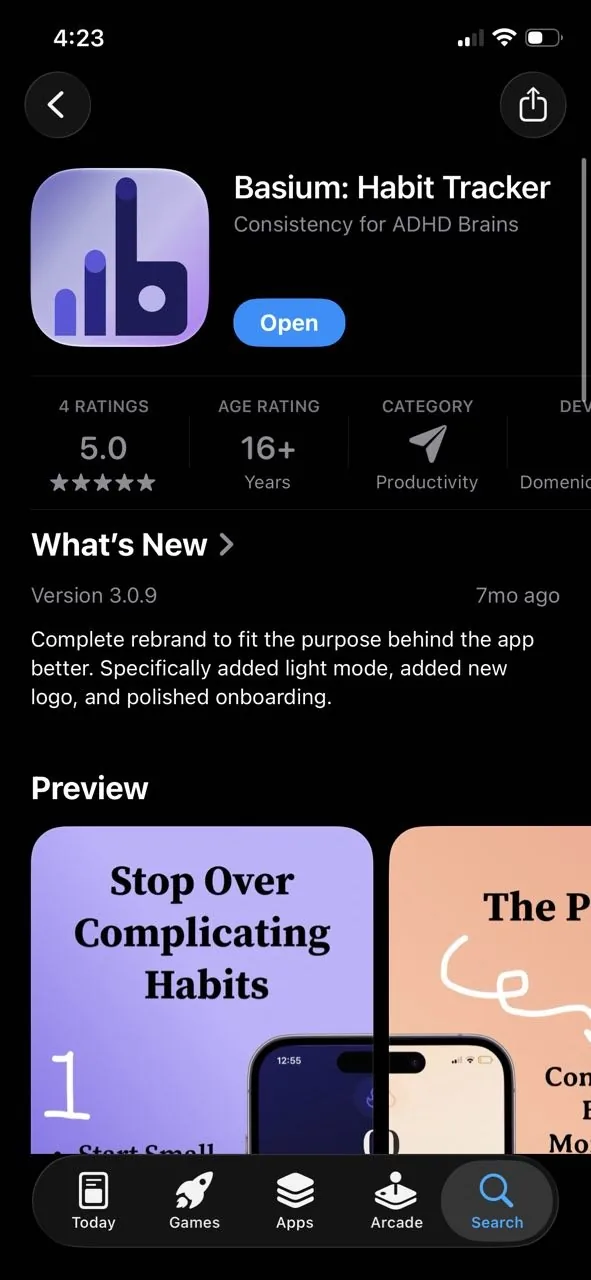
Basium, a personal productivity app

  • A habit tracker built on streaks, coming from how I made habits in high school.
  • Took me about two months to build and ship, after many redesigns.
  • A streak counter, a calendar history and challenge paths that keep you coming back.
  • Marketed it on TikTok and Reddit. A few thousand views in total.
  • PickyPal was easy to market because the problem hurt. Habit trackers are a crowded category, and mine was not different enough.
38downloads
$20in sales
5.0on the App Store, 4 ratings

As of November 2026.

What I learnedStarting is the hard part. Once you are good at that, you need to start the right things.
Basium, recorded on my phone.
Basium: Habit Tracker on the App Store, rated 5.0 from 4 ratings
The App Store listing.

July 2026
to now

A walking robot, designed from zero

Taken apartLoading the CAD model…
Lift the cover to see inside.
  • The whole body was designed in SolidWorks, then printed on my Bambu Lab A1.
  • 8+ design iterations and counting.
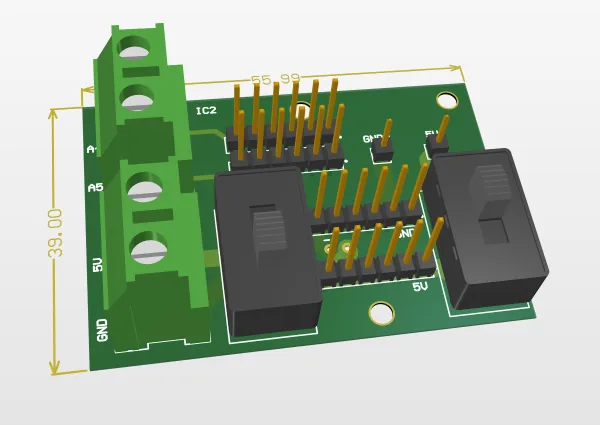
  • For the power distribution and I2C bus, I designed my first simple PCB in Altium Designer.
  • An Arduino Nano controls the PCA9685 servo driver and two OLED displays, which act as the eyes.
  • Currently the robot runs a static trot gait, with different animations coded in.
What I learnedBringing a physical design to real life is the most rewarding part of the design process.
Clearly not enough traction walking on tile.
Testing a new foot design that did not work at all.
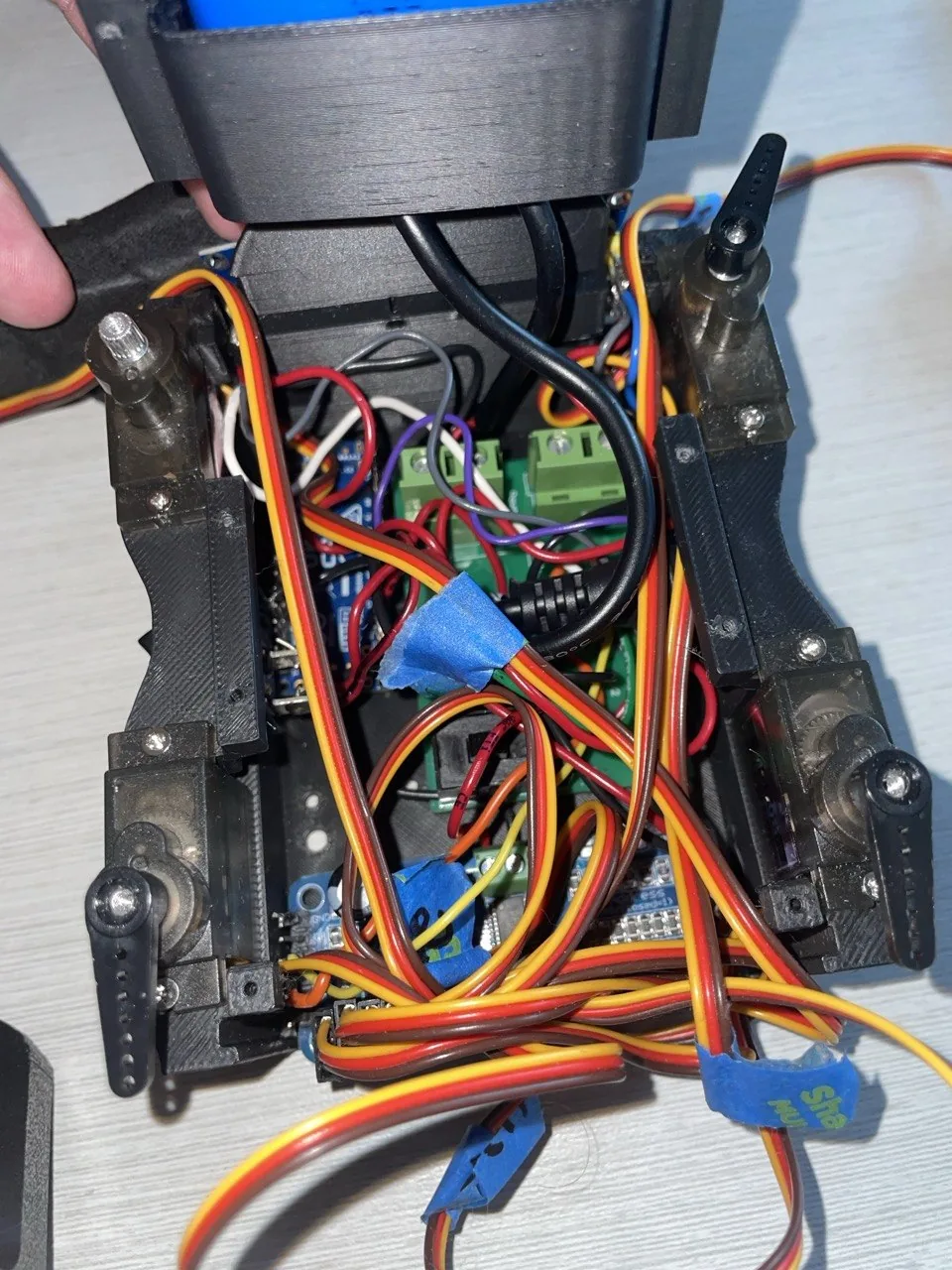
Inside the robot body: servo wires, the custom board and the driver packed into a small space
The space problem.
3D render of the custom power and I2C board, 55 by 39 millimetres
Power and I2C board, 55 × 39 mm.

Next

Rebuild the robot and open-source it

Version two should be good enough to teach someone else the basics of robotics.

  • An ESP32 instead of the Arduino Nano, so it can be driven with an Xbox controller.
  • CAD that prints with fewer supports and goes together easily.
  • A smaller custom PCB.
  • New feet with better traction.
  • Firmware that makes new animations and leg calibration simple.
  • The overall goal is to release the files and let other people build and iterate on my designs.
Version two targets
ControllerESP32
Target parts cost$100
Build videos1 per week
Ship dateDecember